pollysmith Posted April 9, 2005 Posted April 9, 2005 :( I printed out the directions and followed them as well as I could but some of the things she said I would see I didn't see! Like where it says rightclick on picture go to properties. It will sayURL. No where did it say URL. I tried a few things and came up empty. I'm out of ideas However I did create an album with a couple pictures of Qwill So I'm not completely hopeless! Any help out there? Thanks Quote
imported_Kat Posted April 10, 2005 Posted April 10, 2005 LMAO @ Bobs your aunty's husband :lol: :lol: Certainly another way to say it K :lol: Quote
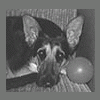
mouseatthebusstop Posted April 10, 2005 Posted April 10, 2005 loverly little puppy you have got there :lol: Quote
Crystal Posted April 10, 2005 Posted April 10, 2005 K you are so silly, bob's your auntys husband. HEHEHE, adorable pupper!!! Quote
mouseatthebusstop Posted April 11, 2005 Posted April 11, 2005 I have made you an avatar right click on your mouse to save it to where you keep the photos on your computer--go to the top of the page click on your profile--scroll down untill you ger to the avatar panell click on brouse find the little picture and you have an avatar of your own delightful puppy :lol: Quote
pollysmith Posted April 11, 2005 Author Posted April 11, 2005 Thanks everyone! I'm still working on it but the avatar transfer worked. You guys are so terrific ! Yes he is adorable isn't he? :B-fly: Quote



Recommended Posts
Join the conversation
You can post now and register later. If you have an account, sign in now to post with your account.